

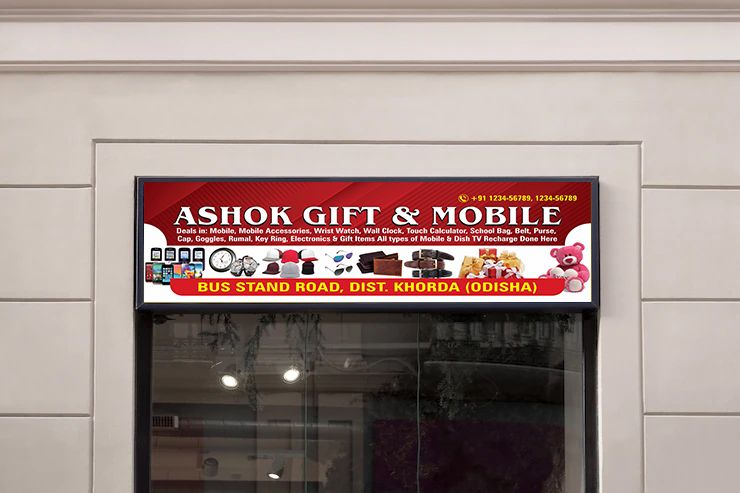
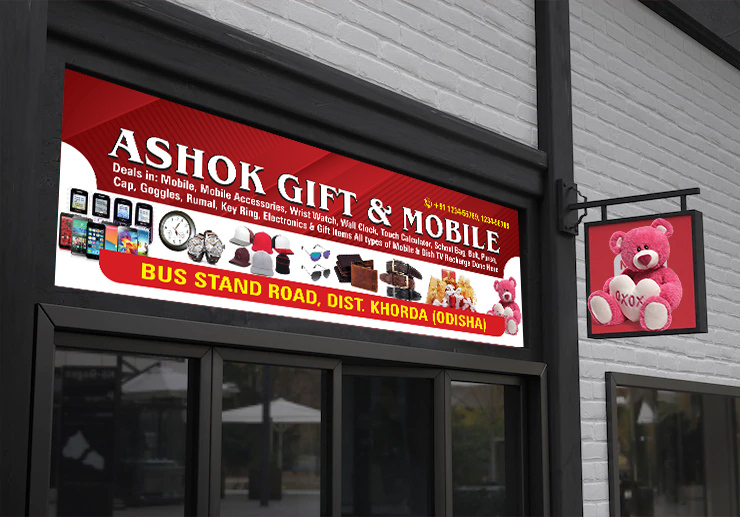
If you are searching for a Fancy Store Flex Banner Design, you are in the right place. We are sharing a professionally designed Fancy Store Banner Design that you can easily download using the link below.
Download the Photoshop PSD file for free for this Fancy Store shop banner template. The PSD comes with a smart object layer feature, allowing you to easily edit images and content using any version of Adobe Photoshop. This template is prepared at 72 DPI, print-ready, in CMYK color mode.
Download Free 9x3 size Fancy Store Flex Banner Design PSD File.



File Details
- File Name: Fancy Store Flex Banner Design
- File Size: 30 MB
- File Type: ZIP
- File Extractor: WinRAR Software
- Supported Software: All Versions of Adobe Photoshop
Design Overview
This fancy store banner is designed with various backgrounds, shapes, and attractive layouts in a PSD file collection for Photoshop. You can add these templates and change the background while planning your fancy store shop banner design. These templates add extra visual appeal to a fancy store shop front.
What Is a PSD File?
A PSD file is the native file format of Adobe Photoshop, a professional image editing program widely used to create digital photos and web graphics. It supports multiple image layers and various imaging options, making it an image-editing-friendly format.
PSD files generally contain high-quality graphics useful for image editing. PSD documents include image layers, adjustment layers, layer masks, notes, keywords, file information, and other Adobe Photoshop-specific elements, and are commonly created and shared among graphics professionals.
How Can You Use This Design?
PSD is the original file format of Adobe Photoshop. You can easily download this PSD file using the download button below. After downloading, you will receive a ZIP file which you can extract using WinRAR. The PSD file works in every version of Photoshop.
If you have any trouble downloading or editing the file, feel free to reach out through the comments or our Instagram page. New design templates and tutorial videos are shared regularly to help you improve your design skills.


